Income Tax Return (ITR-1) Guide
File your income tax return online
Income Tax Department
Login to Income Tax Portal
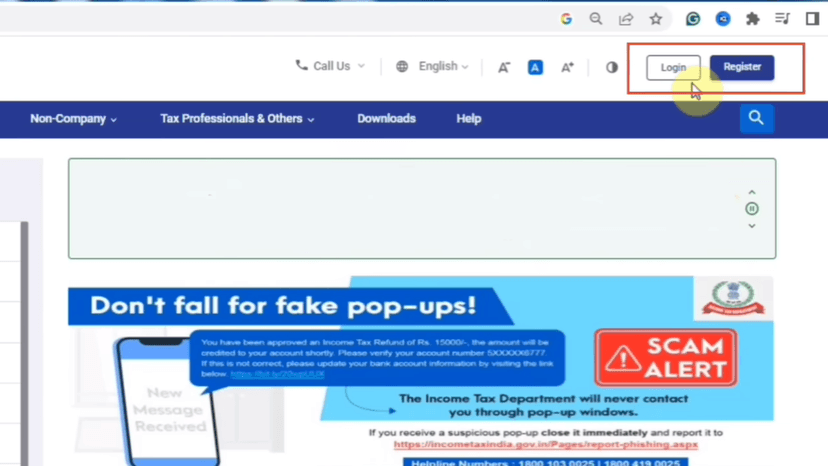
Click Login
Enter your PAN Number
Click Continue
Tick the checkbox
Enter your Password
Click Continue
#Start Filing
Select Assessment Year
Select Mode of Filing → Online
Click Continue
Start New Filing & Select ITR Form
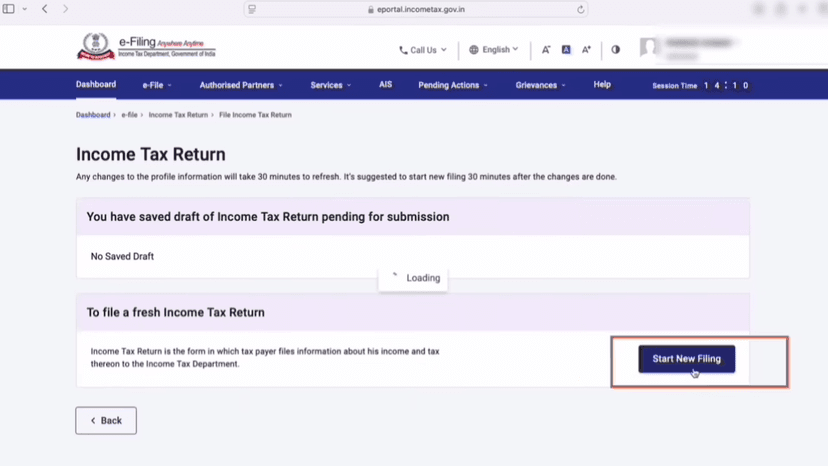
Click Start New Filing
Select your Status → Individual
Click Continue
#Select ITR Form
Choose ITR‑1
Click Proceed with ITR‑1
You may see an alert message
Click OK
#Begin Filing
Click Let's Get Started
Select the Reason for Filing ITR
Choose Taxable income is more than basic exemption limit
Click Continue
If another alert message appears, click OK
Personal Information & Bank Details
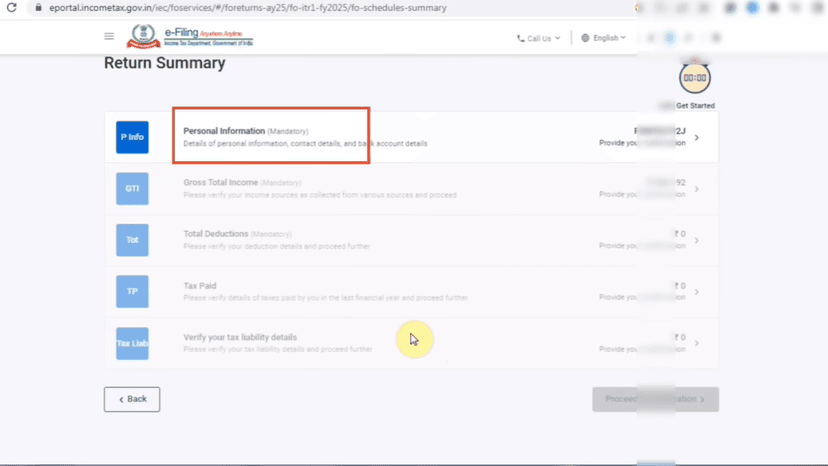
#Personal Information
Click Personal Information
Scroll down and select Nature of Employment
Select Others if you have a private job
#Choose Tax Regime
Select Yes or No depending on the regime you want
#Bank Details
Click Bank Details
Select the bank account where you want to receive the refund
Click Confirm
Gross Total Income
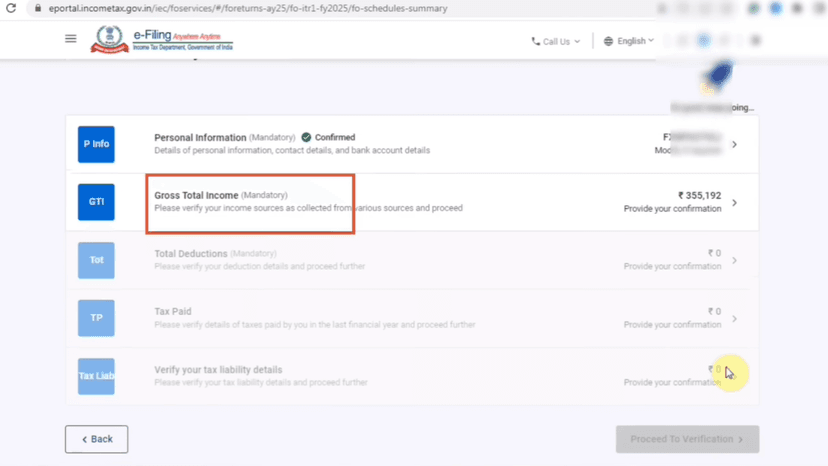
#Income from Salary
Click Gross Total Income
Open Income from Salary
Cross‑check the Gross Salary with your Form 16
#Exempt Allowances
Cross‑check with Form 16
If no allowance is mentioned, delete those entries
#Check Income Type
Salary or Pension
Verify the Standard Deduction
Click Save
#Income from House Property
Scroll to Income from House Property
Enter details if you have Rental Income
#Interest on Borrowed Capital
If you have a Home Loan, enter the loan interest details
#Income from Other Sources
Enter interest income such as:
- Fixed Deposit (FD) Interest
- Savings Account Interest
Cross‑check the amounts before entering
#Long‑Term Capital Gain (Section 112A)
If you have Long‑Term Capital Gain from shares/equity funds
Enter details if the gain is up to ₹1,25,000 in the last financial year
After reviewing all details, click Confirm
Total Deductions & Tax Paid
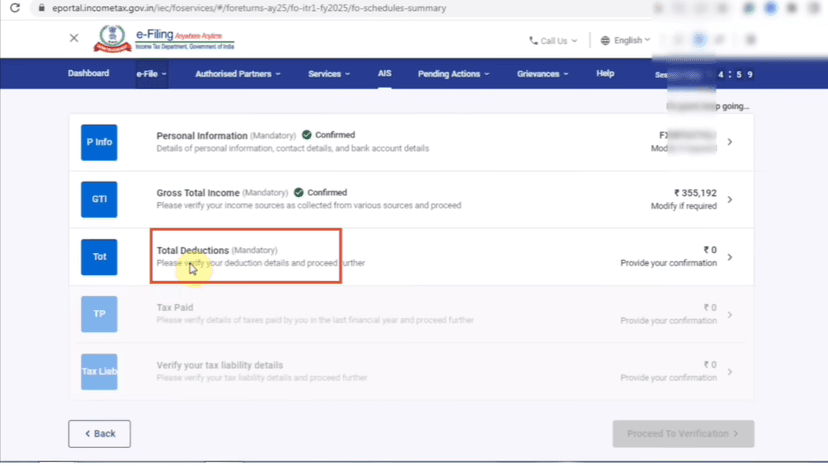
#Total Deductions
Click Total Deductions
Cross‑check your deductions from Form 16
Verify the details
Click Confirm
#Tax Paid
Click Tax Paid
Here you will see TDS (Tax Deducted at Source) details
Cross‑check the TDS amount with your Form 16
Scroll down
Click Confirm
Verify Tax Liability & Submit ITR
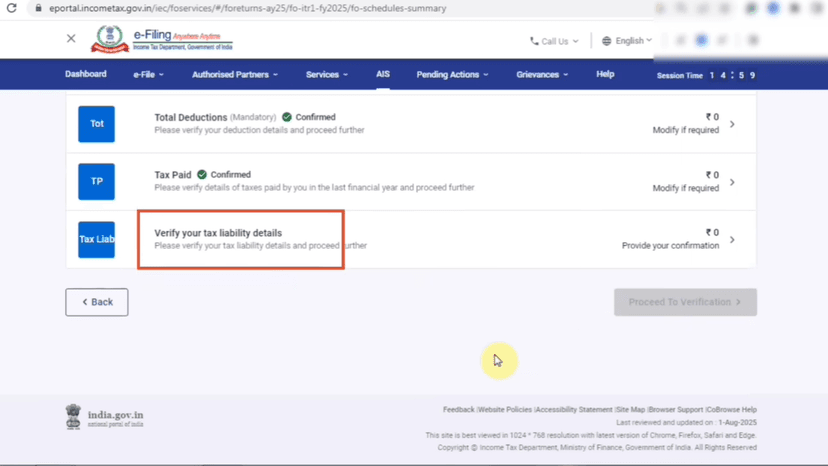
#Verify Tax Liability
Click Verify Your Tax Liability
You will see your income and tax payable details
Verify all details carefully
Scroll down and click Confirm
#Submit Return
Click Proceed to Verification
Scroll down and click Preview & Submit Your Return
Tick the checkbox
In Capacity, select Self
Enter your Place
Scroll down and click Proceed to Validation
Click Preview
Scroll down and click Proceed to Validation
#e‑Verify ITR
Click Proceed to Verification
Select e‑Verify Now
Click Continue
Choose Verify using OTP
Click Continue
Tick the checkbox
Click Generate Aadhaar OTP
Enter the OTP received on your registered mobile number
Click Validate
Click Submit
#After Submission
Your ITR is successfully submitted
Click Proceed
You can download your ITR receipt (Acknowledgement)
To check the status later:
- Go to Dashboard
- Click View ITR Status
Done! Form Complete 🎉
Follow all the steps above and your form will be successfully submitted.
Apply Now